Protect your iPhone data by adjusting these default settings
Protect your iPhone data by adjusting these default settings
Imagine if a simple cup of coffee could put your information at risk. Discover how to secure your iPhone against unauthorized access by disabling a risky feature.
Dangers of public Wi-Fi to avoid
Using free Wi-Fi networks in public places may seem convenient, but it can be a golden opportunity for hackers. They have the ability to set up fake Wi-Fi networks that mimic those in public places. Once connected, your smartphone becomes vulnerable, exposing your passwords, banking information, and personal photos to potential interception.
Even when connecting to a legitimate network, these connections are rarely secure. Hackers exploit vulnerabilities to install spyware that can remain active even after you disconnect.
Disabling automatic login in a few simple steps
Apple has included a feature that allows your iPhone to automatically connect to available Wi-Fi networks without requiring your intervention. While this may seem convenient, it also represents a major security vulnerability.
Procedure to disable automatic login
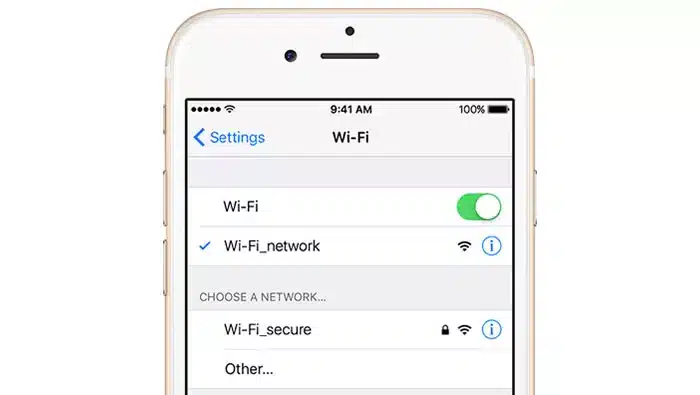
Open theSettingsappon your iPhone.
Go toWi-Fi.
SelectAutomatically join access point.
You have three choices:
“Never”(the most secure option).
"Ask to join"(a reasonable compromise).
"Automatic"(risky if used without precaution).
Choose"Request to join"or"Never"to avoid unwanted connections.
In addition, you have the option to"forget" Wi-Fi networksyou no longer wish to use, which helps to limit potential risks in the future.
Other security measures to protect your iPhone
In addition to disabling automatic Wi-Fi connection, other actions can enhance the security of your device:
Turn off Wi-Fiwhen you leave your home to avoid unauthorized connections to suspicious networks.
Restart your iPhone once a week: this action cuts off malicious connections and prevents hackers from maintaining continuous access to your device.
Use a VPNwhen you need to connect to a public network. This solution encrypts your data and prevents hackers from intercepting it.
Prevention is better than cure when it comes to threats
Malicious actors are constantly innovating to set traps for users. By making a few simple adjustments, you can significantly reduce the risks and keep your data secure. Take the time to configure your settings for worry-free browsing!
.webp)
.webp)




.webp)


.webp)


0 Comments:
Post a Comment